Syntax when it matters
Formatting marks reveal themselves at the place you are editing. Move away and the page becomes easy to read again.
 Plainwright
In development
Plainwright
In development
A native Markdown editor for Linux
Write in a clear, readable page. Move into a heading, link, or list and its Markdown marks appear right where you need them. The file beneath it stays ordinary Markdown.
Watch the editor in motionA short look inside
Four states of one synthetic document, captured from the running Plainwright editor.
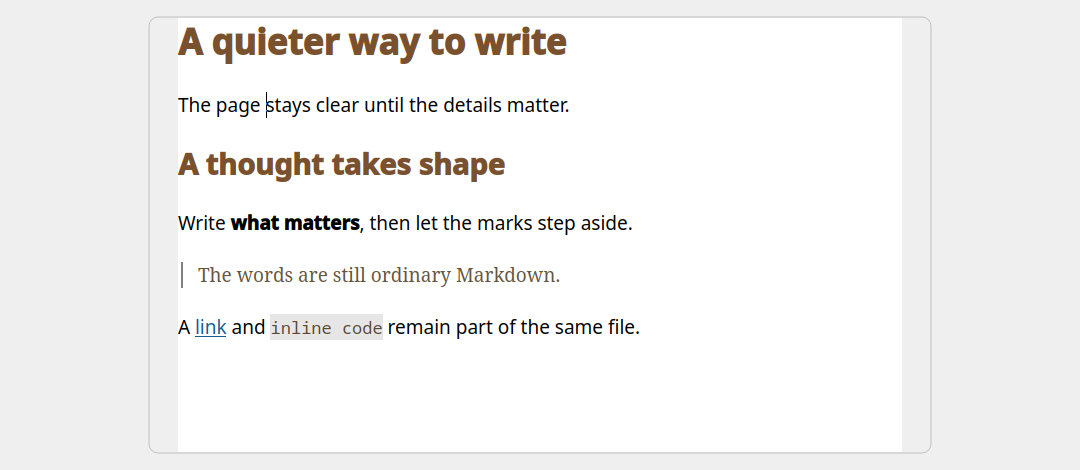
01 — Write on the page
A calm, centered page shows the formatted text without hiding the file behind it.
The images come from the same document. Switching presentation does not rewrite its Markdown or Undo history.
The Plainwright approach
Plainwright is being built for people who want a comfortable page and a real text file, without keeping two views in sync.
Formatting marks reveal themselves at the place you are editing. Move away and the page becomes easy to read again.
Choose a centered page or use the full window. Switch to Markdown source whenever you want to see the exact text.
KDE is the first-class desktop. The editor uses ordinary local Markdown files and needs no account or background service.
In active development
Plainwright is in testing. Native Fedora RPM and Flatpak packages are planned for the first public release. Downloads and installation guidance will appear here after the release checks are complete.